
MPTAAS Login 2026: How to access MPTAAS portal as an existing user
With your MPTAAS profile successfully registered on the official scholarship portal 2.0, you can now access your MPTAAS dashboard by following the MPTAAS login process detailed below.
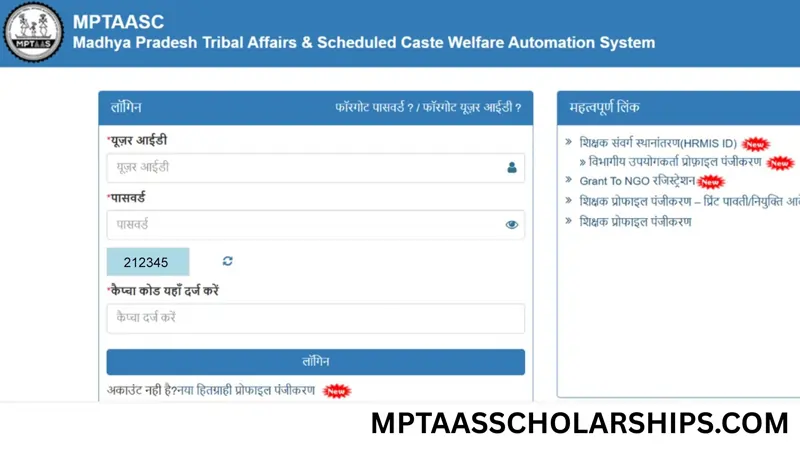
- Open your web browser and visit the official portal link: https://tribal.mp.gov.in
- Initiate MPTAAS Login: On the homepage, click the prominent “Student Login” or “छात्र लॉगिन” button.
- Enter Your Credentials: On the secure MP TAAS login page, enter your registered User ID (Application Number or Mobile Number) and Password.
- Complete Security Verification: Verify your identity by entering the CAPTCHA code or the OTP sent to your registered mobile number/email.
- Access Your Dashboard: Click “Sign In” to enter your personalized dashboard. Here, you can apply for the 2025-26 scholarship, renew your application, or check your mptaas scholarship status.
Once logged in, your MPTAAS dashboard provides comprehensive access to apply for the current year, renew existing scholarships, update personal information, and check your MPTAAS scholarship status in real-time.
Pro Tip: In-case, you forgot your Password or User ID? Visit the MPTAAS login page. Use the ‘Forgot Password’ link and reset password using your registered mobile number, Email or Samagra ID. Use your own phone or PC to get an OTP for verification on mobile number and reset your details by creating a new secure password.